MY WORK > Avira Password Manager
Avira Password Manager

Summary
Starting from a purchased 3rd party code, we created a product vision, went through several technical and visual iterations and achieved to be recognized as a relevant provider in the market.
As Director Product & Engineering, I was leading the cross functional team who defined, developed and operated the solution.
Highlights: 3rd rank in Chip Password Manager test 2019, active user base grew by factor 6 from 2017 to 2019.
Product Vision
When I joined the team, there was a 3rd party Password Manager code with a very basic web UI and mobile UI.
The first thing we started with was creating a high level product vision. We looked at competitors, discussed about must-have and nice-to-have features, created high level design proposals which we heavily discussed and challenged. We finally agreed on a proposal. We then defined the scope for our first implementation step, our MVP. We created high-fidelity mockups for the final vision and for the MVP and printed them out on large posters and distributed them everywhere in the office so that everybody was always aware of our direction.
And then we started the implementation of the vision.
We did the same for the mobile experience and later again and again for smaller aspects of the web experience and new cross platform features like notes, credit cards, security status, attachments.
Retrospectively I have to state that we intuitively used many elements of the design thinking methodology for the creation of the product vision. We empathized with the user, deeply looked at competitors, we created lots of choices for our own vision, we discussed pros and cons and decided for one option. At a later point in time we also started to heavily user test before starting implementation. We used fake-door-experiments to prioritize new features.
The key point however was the creation of the product vision and MVP, printing it out on posters and making it visible to everybody so that we all knew what we were chasing for: “to go beyond passwords”. Like with any vision, we did not implement everything we envisioned initially and the vision also changed over time but it was very important to have such a vision at hand.
Design Iterations
When we started with high-fidelity work of our design vision there was no common company wide design system available and so we had to create one for our product solely. As we were quite inexperienced with design systems, we made a lot of errors and our first design iteration had a lot of severe design issues like a polarizing color scheme and severe contrast issues.
We fixed these issues in our second iteration. We heavily user tested several design options before deciding on our final design based on testing results.

Implementation steps
Our first objective was to deliver the MVP for the web dashboard and we then incrementally added more features and also started in parallel with the redesign of the mobile experience.
I am really proud what I achieved with my team in the course of just 3 years. Below you will find the list of the publicly available features we shipped between 2018 and 2020 and further below you can find screenshots showing the design evolution.
Cross-Platform features over time
- 2018 – Q2
- dashboard in new design (green navigation pane; scope: just passwords, settings and connected devices)
- mobile apps in new design (password list, new detail screen)
- GDPR implementations
- 2018 – Q3
- notes on all platforns
- login with facebook and google
- Security Status in web dashboard
- autofill on iOS (iOS12)
- 2018 – Q4
- inline forms (autofill, password generator) and save popups in new design
- Autofill on Android
- improved data import (notes, auto-mapping)
- change master password flow on all platforms
- feedback feature on iOS and Android
- Firefox extension in mozilla store
- 2019 – Q1
- unregistred mode (ability to start using password manager without registration)
- web dasbhoard in new design (black navigation pane based on Avira design system)
- 2FA authenticator feature on iOS and Android
- 2019 – Q2
- extension main window in new design
- security status on iOS
- “get started” section in web dashboard
- 2019 – Q3
- in-context password checks, messaging and password change flow
- ios app in dark mode
- security status for Android
- web dashboard: registration and login uis in new design
- 2019 – Q4
- Subdomain support (basic version)
- Android app in dark mode
- Credit Cards (basic version)
- 2020 – Q1
- Chromium based Edge extension
- Subdomains: display/edit subdomains on iOS (Android n/a as Android autofill only domain based)
- credit card support: browser extension
- improved pw generator on all platforms: no more ambigous characters, characters accessible on all keyboards
- 2020 – Q2
- subdomains: display/edit subdomains in web dasbhoard/extension
- redesigned and improved security status in web dashboard
- login with apple (ios and web dashboard)
- 2020 – Q3
- Photos and attachments on all platforms
Browser Extension – Main Window
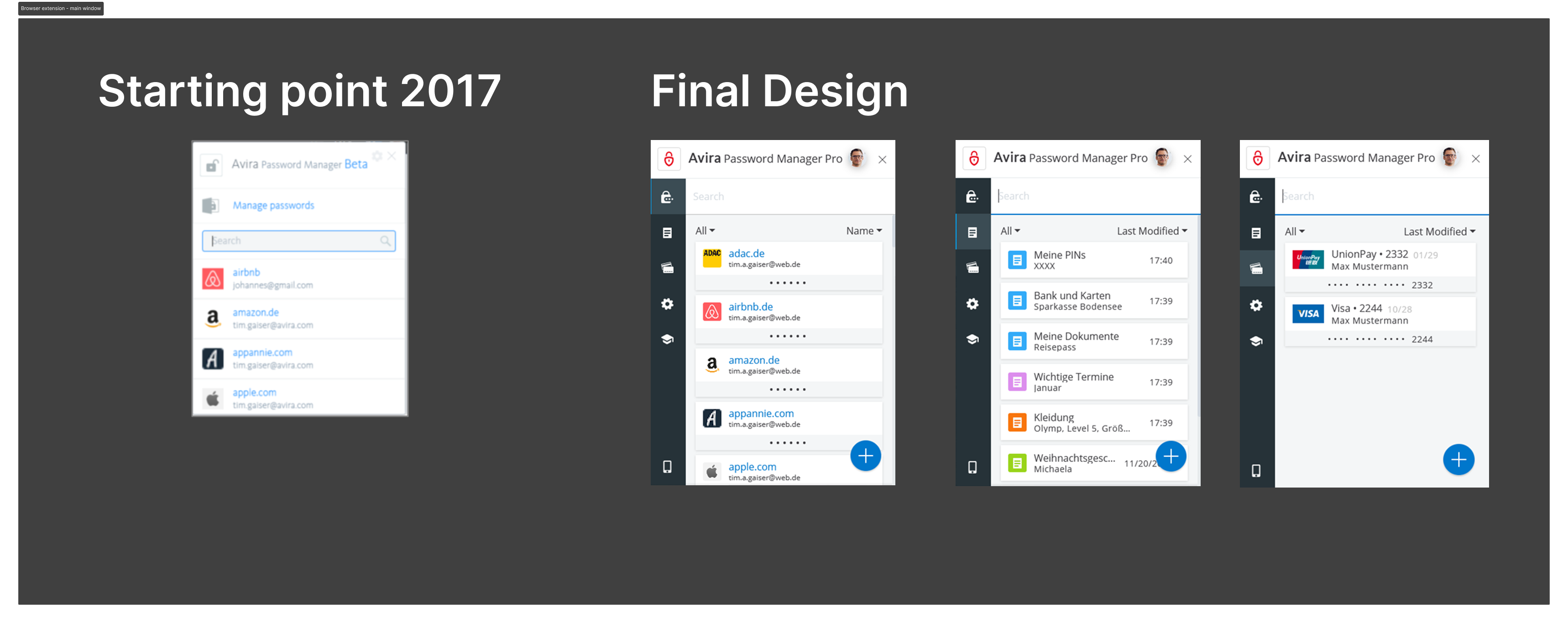
The initial extension main window just provided passwords. We added all relevant features over time to the extension main window so that a user can easily also access notes or credit card information from the extension.
Browser Extension – Inline Forms for autofill
The initial version of the inline form just provided the login email and it was not possible to properly distinct the accounts. The new design also shows the account name in addition to the user name so that one can properly select the correct account to use. It furthermore supports sub-domains. With this, sub-domains with different account can be properly managed.

Browser Extension – Save Popup
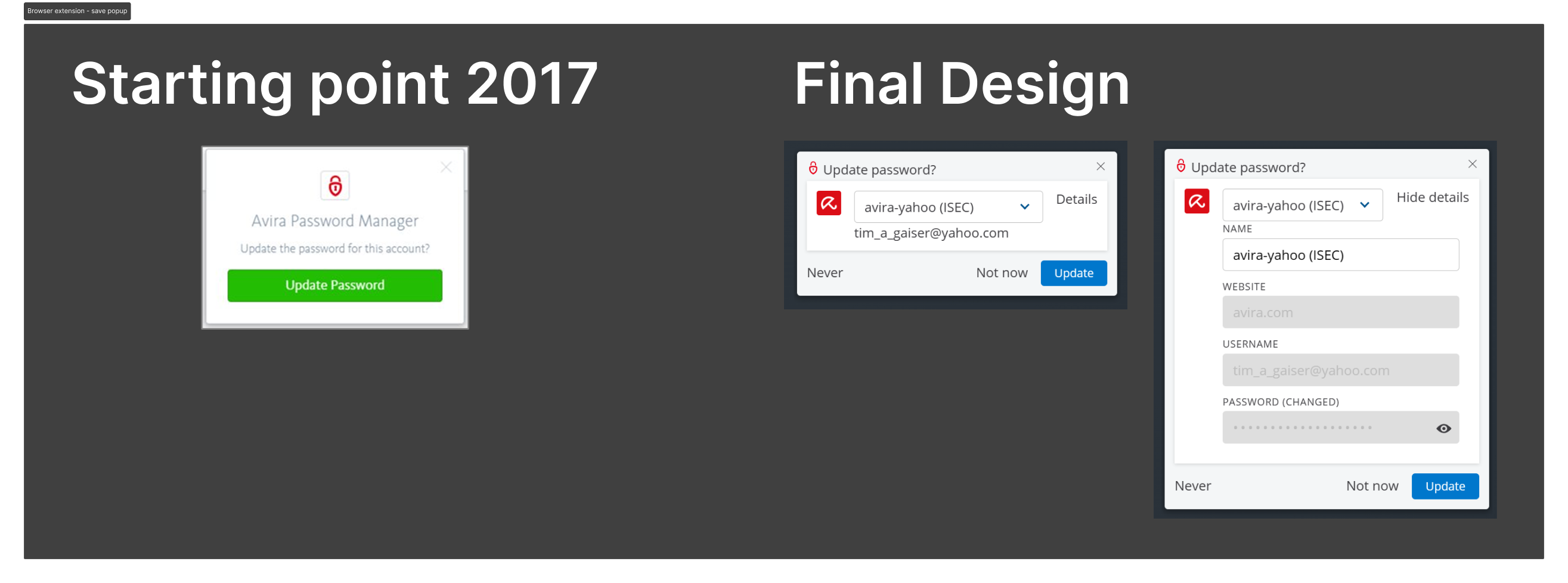
The initial version of the save popup did not show which account will be updated. Our improved design shows first a small popup with the account name and the user name. If there is more than one account, the user can show details to verify if the updated account is the correct one and the user can also use the drop-down to select another account to update or to create a new account.
Mobile apps
Like the whole solution, the mobile app initially only supported passwords. We renovated the design and added new features along with the overall cross-platform-feature-implementation.
There is a native iOS version and a native Android version both leveraging the platform specific autofill capabilities. We implemented a light and a dark design which follows the system settings of the OS.
Below you can find the screenshots of the most important screens of the iOS version.

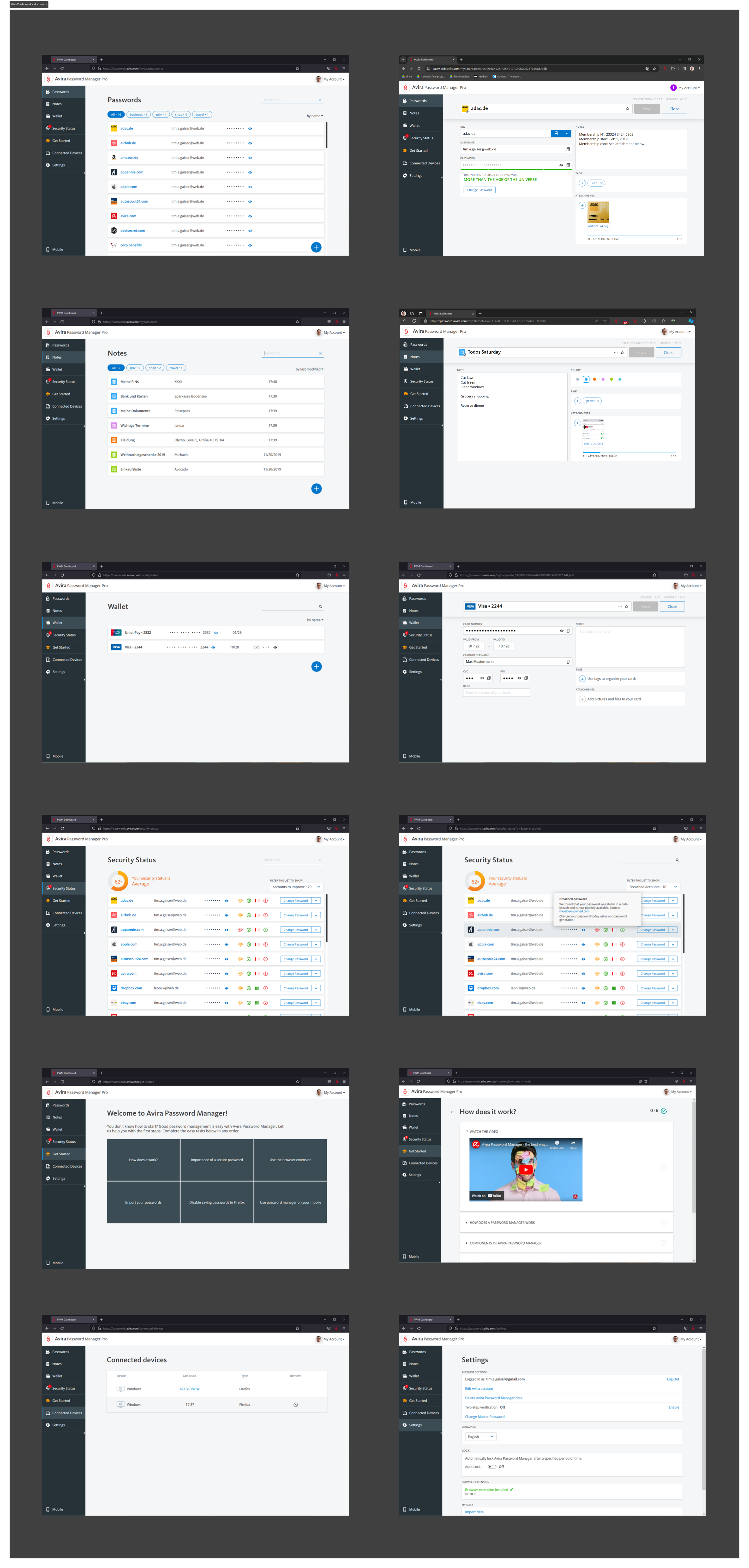
Web Dashboard-final version
Below you see an overview of the most important screens of the web dasbhoard. The design is from 2019 and I hope you agree how beautiful and timeless this design still is.